Ba Bị
Customize Tutorial
You can customize the appearance of your character with your own design by following these steps:
Step 1: Create the Skin
First, download the character assets to use as a template:
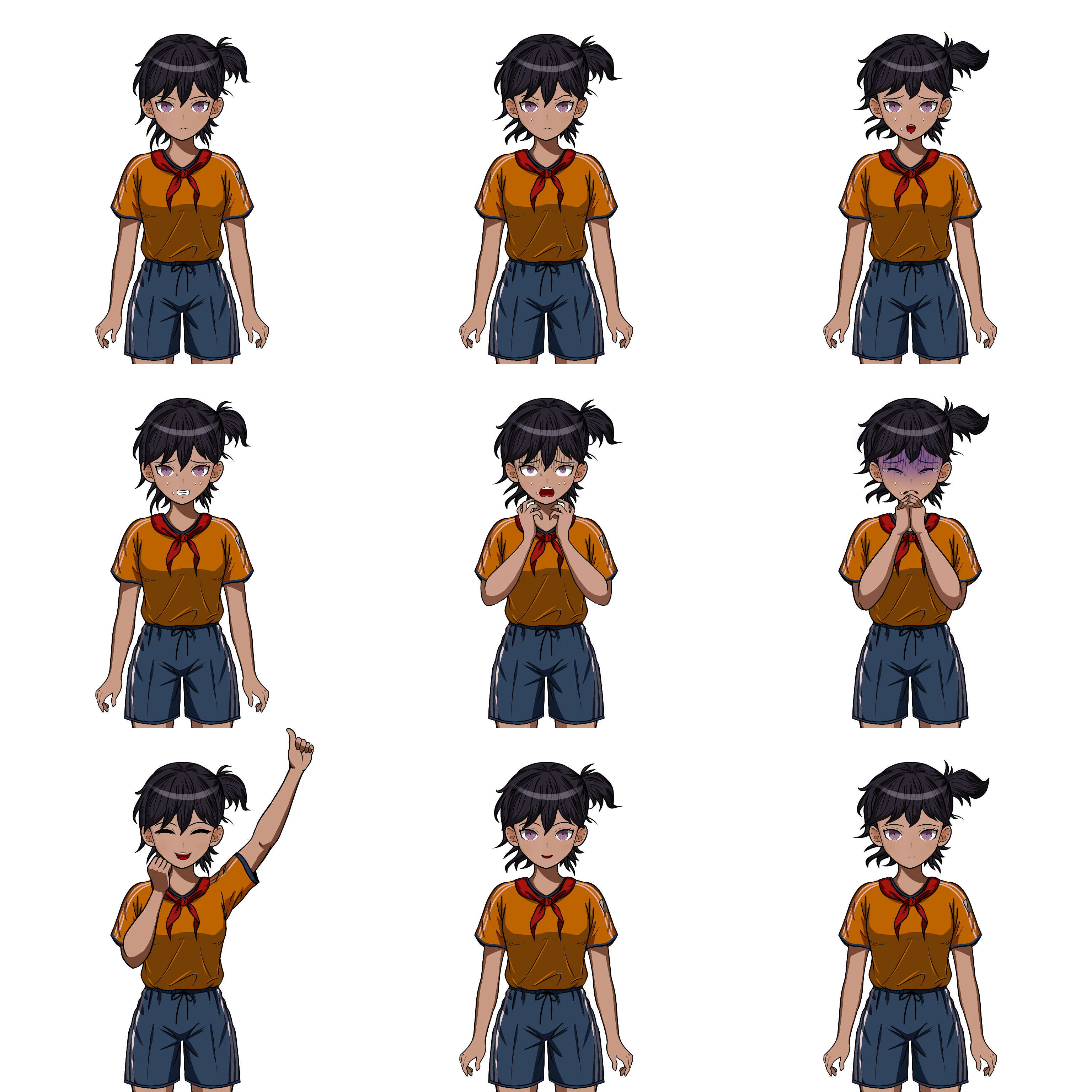
The image file must be in PNG format with a transparent background. You may choose any dimensions you like. The image is divided into 3 columns and 3 rows:
- Rows represent the character’s posture (from top to bottom): Default, Startled, and Celebrated.
- Columns represent the character’s psychological state (from left to right): Normal, Scared, and Frightened.
Step 2: Install the Skin
Once you have the image file, simply drag and drop it into the game window, or place it in the appropriate folder on your computer:
- If you on Windows, go to: `%appdata%\ba-bi`
- If you on Linux, go to: `~/.local/share/ba-bi`
After opening this folder, create a subfolder named `custom` and place your image file inside it, naming the file `skin.png` to apply to all characters or name the file `lan.png`, `nam.png`, `hoa.png` or `ba.png` to apply to the specific character.
Then you can enter code `[reset skin]` to clear the custom skin.
Customize dialogs, texts and add language translations
You can also customize almost every single text that appear on the game: from dialogs, card descriptions, to add or remove math questions, magic 8-ball answer and prompt code response. You can even add more languages to the game.
First enter the code `[export tr]`, it will export a `translations.json` file in the same path as your skin. Then you can open it up in a text editor, then exit anything that you want in JSON format.
Find and share
You can find and share skins on the Artwork tab, official Reddit or Discord server.
Leave a comment
Log in with itch.io to leave a comment.